
Bad Luck Club
Written 11/15/2026
Supplies Needed:
Kit is by Scrappy Bit Of Fun. You can
purchase it at her store Scrappy Bit of Fun -
Payhip
Font of your choice. I am using
Fortune.
Plugins/Filters:
Lets Begin:
Open frame 4. Shift+D to duplicate.
Close the original. Resize the frame to your liking. Make sure your canvas is
large enough to work with. You can crop when we are done.
Using your magic wand select the
inside of the frame. Make sure you get all of the bits inside the frame
selected. Selections modify and expand by 8.
Layers new raster layer and drag this
new layer under the frame.
Open paper 5 and copy and paste into
selection. Selections select none.
Add a drop shadow to your frame.
Open a tube of your choice from the
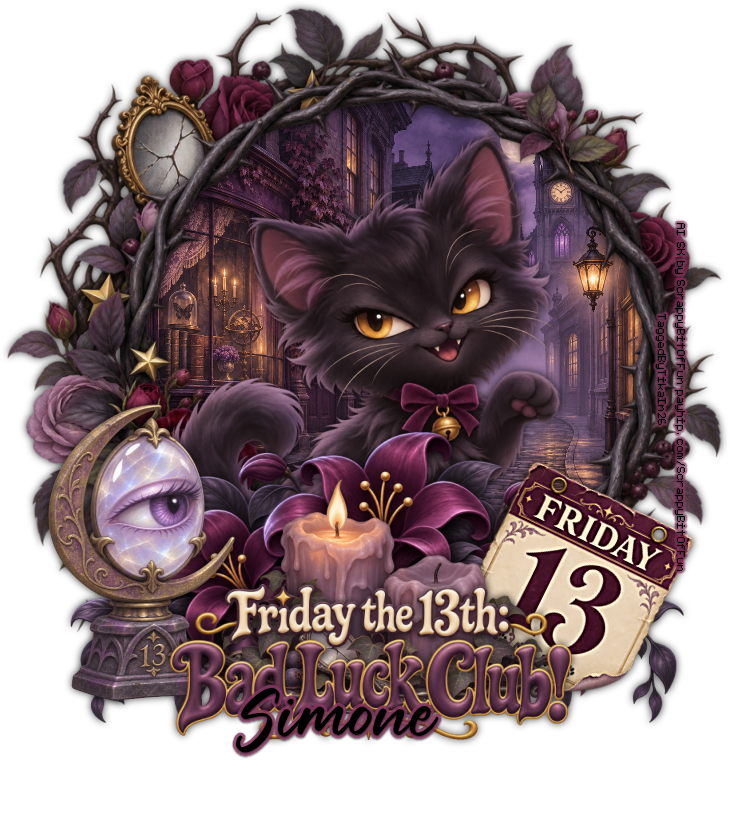
kit. I went with one of the kitty elements but you can use whatever you want.
Copy and paste as a new layer. Place it in the center of your frame. Resize as
needed. Add a drop shadow.
Now here is where you will make your
tag your own. Adding anything from the kit that you want to use to your tag. I
will tell you what elements I used and if you want your tag to look like mine
then use my tag as a reference.
Elements Used:
001
009
032
046
051
158
Add your name.
Add your copyright and licensing
information.
Crop and save.

No comments:
Post a Comment